
Configure affiliate link for product (5)
In this section, you will learn how to create a template, so that the system can automatically build affiliate links for the product.

Configure affiliate link for product (5)
Part 5: Configuring Affiliate Links for Products
Introduction
In the previous part, we finished creating the product. The interface for buyers will look like the image below.
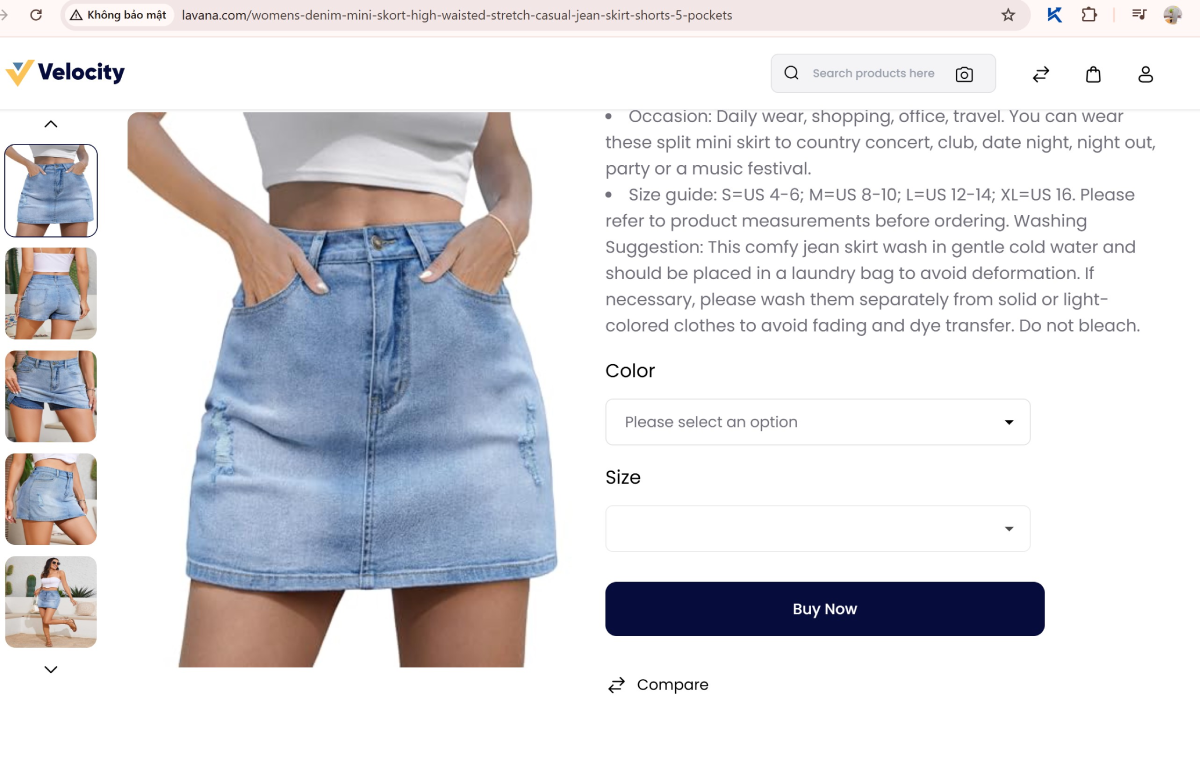
When a customer clicks on “Buy now” (in English), they will be redirected to the corresponding e-commerce store's sales page with your affiliate tracking code attached.
So, how do you create an affiliate link? That is the topic I will guide you through in this article.
I. Direct Link from an Advertiser
This is a type of affiliate link created directly on the product page if you have registered for the campaign of that seller or e-commerce platform.
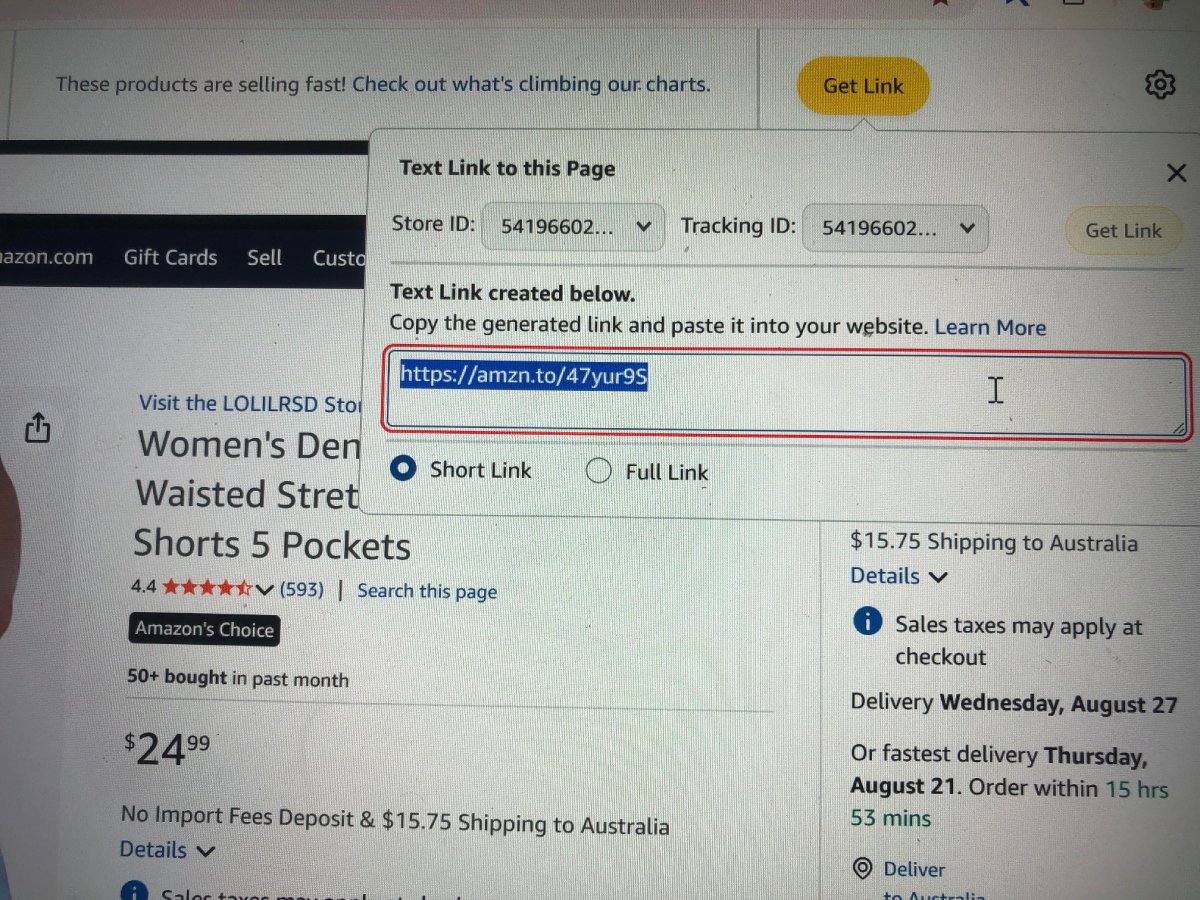
For example, with an Amazon product link, if you have registered for their affiliate program, the SiteStripe bar will appear at the top of the product page as shown.

When you click on “Get link,” the affiliate link will appear. Your task is to find the selector containing this link.
We will do the following:
1. Open Khang Scraper, select the “Pick Selector” tool and move it to the link's location. When you see a red border around it, press Shift.
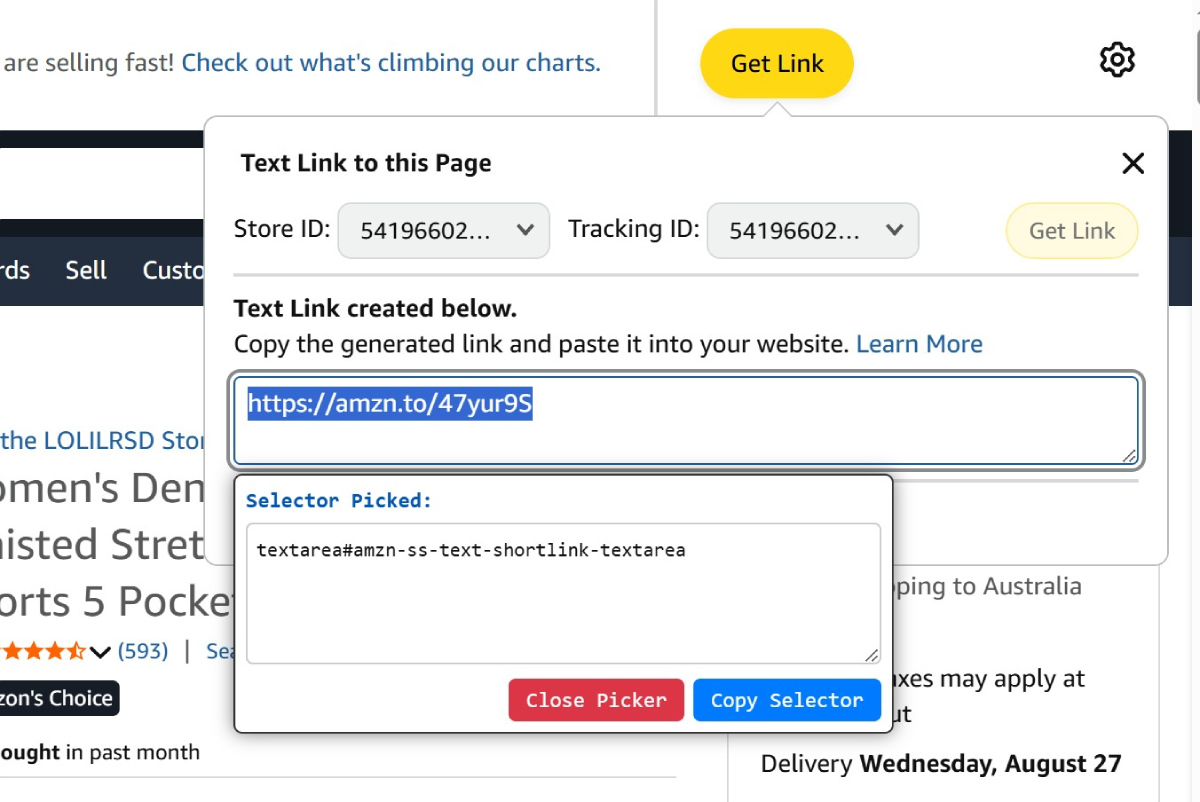
2. The “Selector Picked” dialog box appears. Click “Copy selector” to save and “Close Picker” to close it.
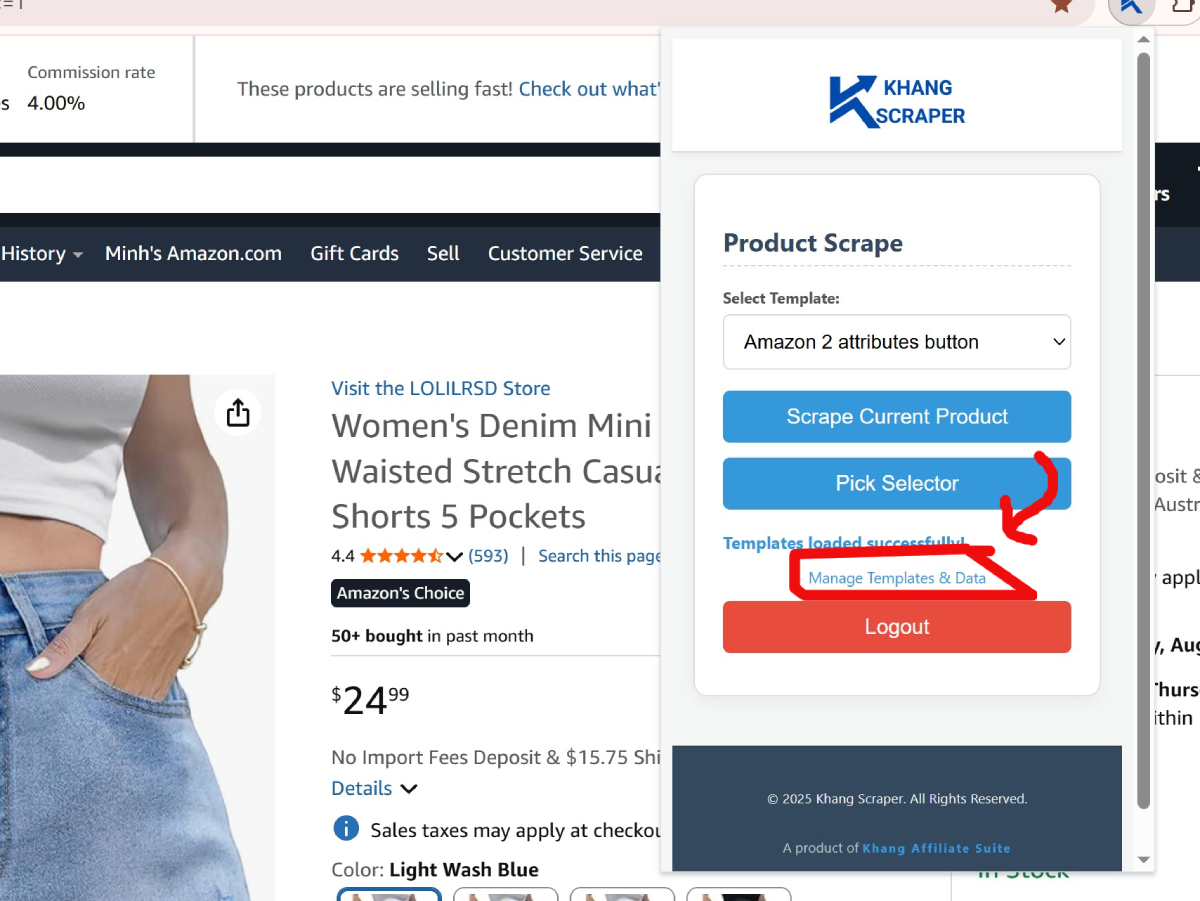
3. Reopen Khang Scraper, click “Manage Templates” to go to the “Scraping Template Editor” page.
4. Select the “Amazon 2 attributes button” template that I guided you to create in Part 4.
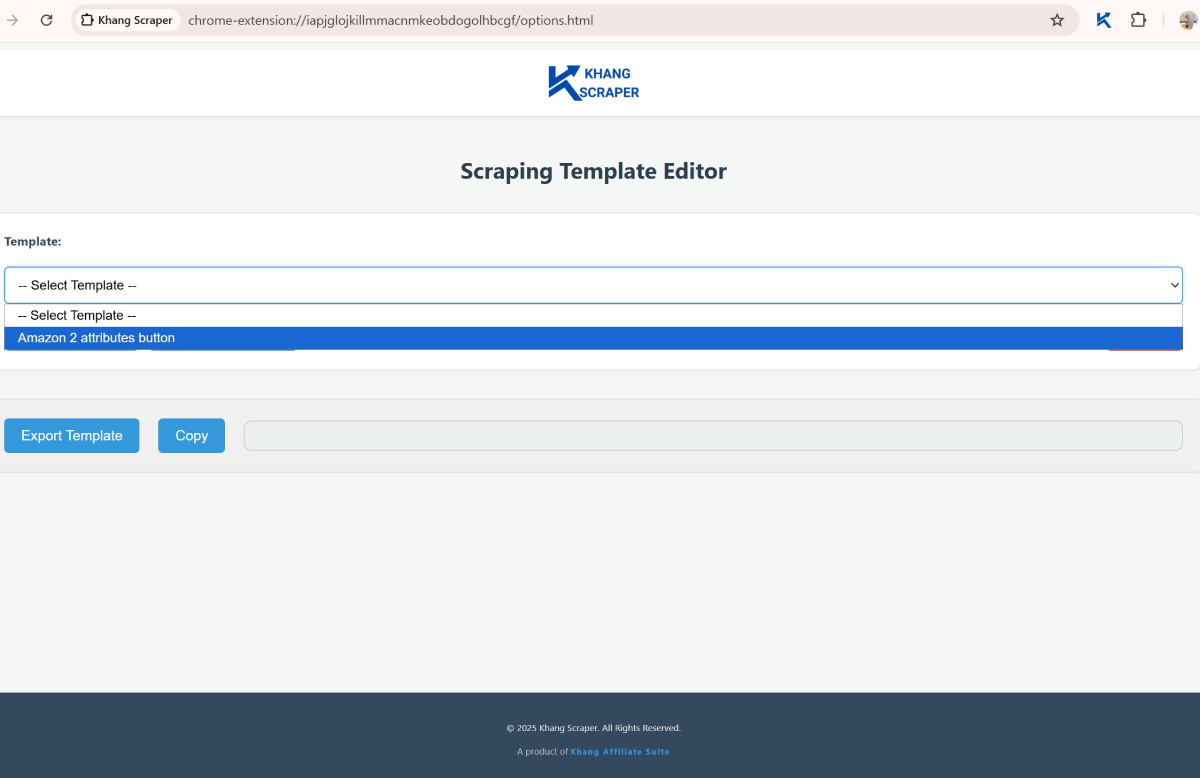
5. Find the “Link_aff” field and paste the selector into the “selector” input box.

I will explain the inputs in the “Link_aff” field:
- Selector: Enter the selector of the element you want to get (e.g., Title, price, image, description...).
- Query Type: Select “single” for the “Link_aff” field.
- Single: If the element is unique, such as: affiliate link, product title (h1)....
- Multiple: If the element includes multiple values, such as: product images, attribute options....
- Extract Type: Select “text” for the “Link_aff” field. There are options to extract values in the selector: Text , Html , Src , Href , Alt, Value , Custom_attribute .
- Replace: Select “no” for the “Link_aff” field.
- Action before extract value: Select “– No Action –” for the “Link_aff” field.
Save this template. In the future, if you encounter a suitable product page, you need to click “Get Link” in the SiteStripe Options tool before clicking “Scrape Current Product” in Khang Scraper to collect the data.
II. Link created using the Deeplink template of an Affiliate Network
There are many networks you can register with. I will use the Accesstrade Vietnam platform as an example.
The publisher interface
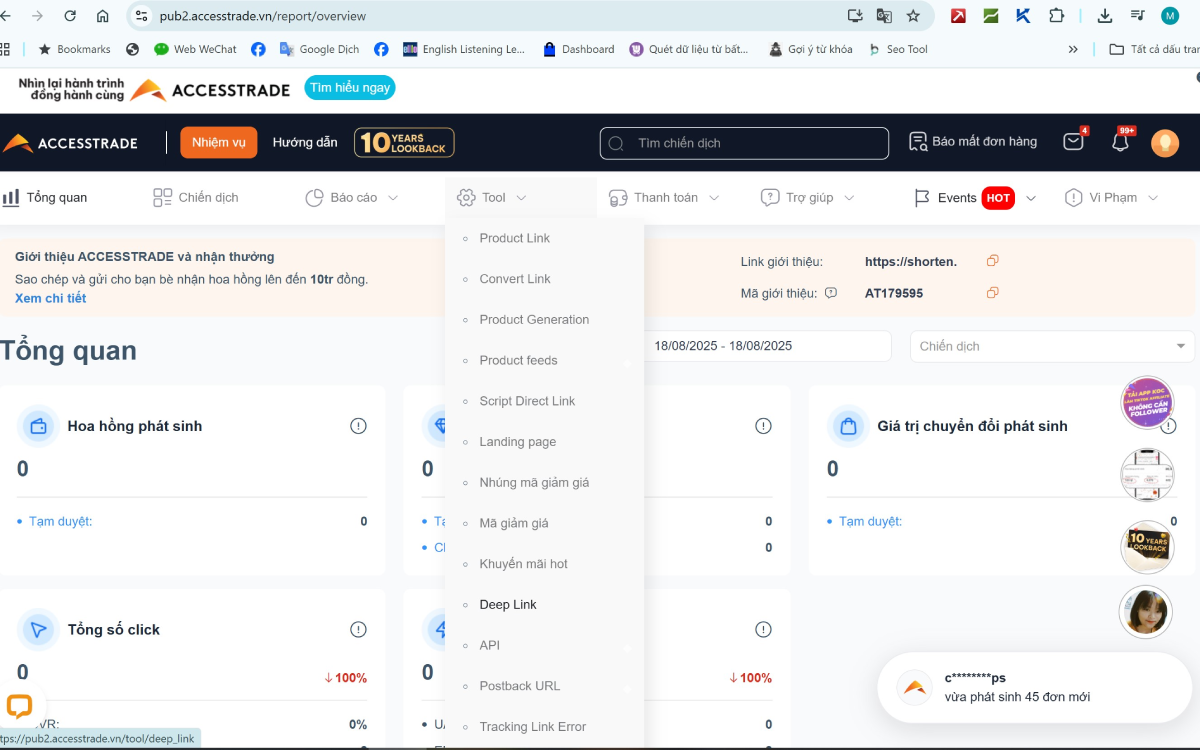
On the navigation bar, select Tool / Deeplink to access the deeplink page and copy the “Base URL”.
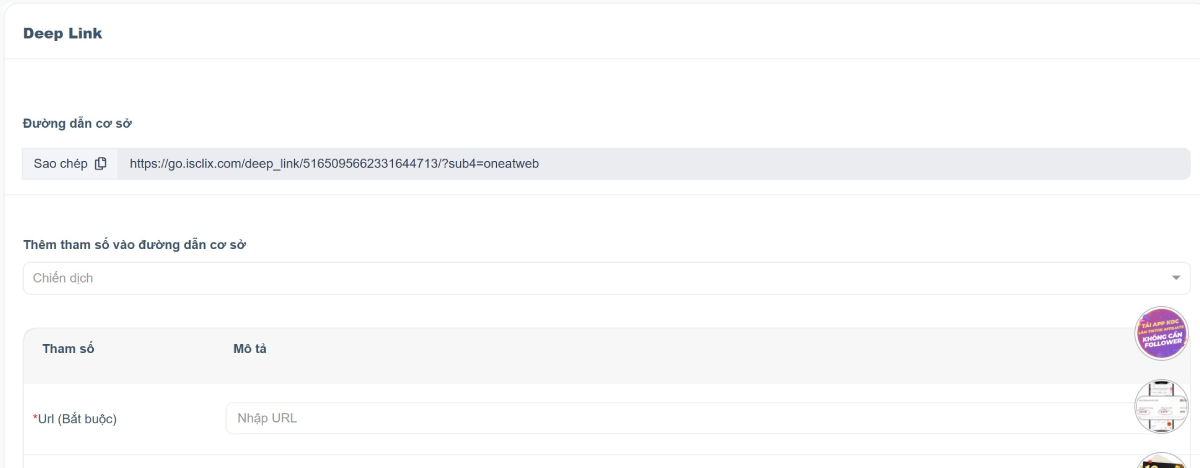
You will see a field with an *Url (Required), which means this is a very important field. Remember that there must be the parameter url=... in the affiliate link.
Then, go to your website's admin page, select the “Affiliate Link” menu and click “Add Deeplink Template”.
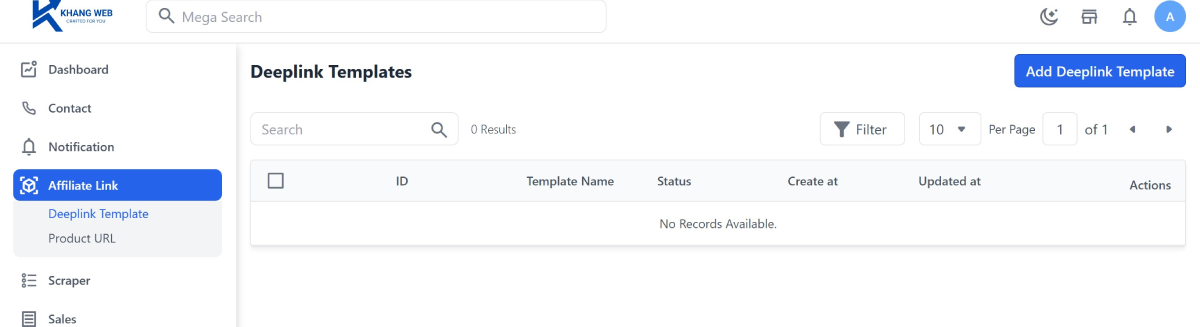
In this “Add Deeplink Template” interface, enter “Accesstrade” into the “Template Name” field, and paste the URL you just copied into the “Base url” field.

Important notes:
- The “Base url” is only the length before the ‘?’ sign; please move the part after the ‘?’ sign down to the “Query template”.
- There must be the
urlparameter in the “Query template” as required by Accesstrade. - The value of this parameter will be assigned through the variable
product_url. The input method is shown in the image above.
Continue to fill in other information for this form:
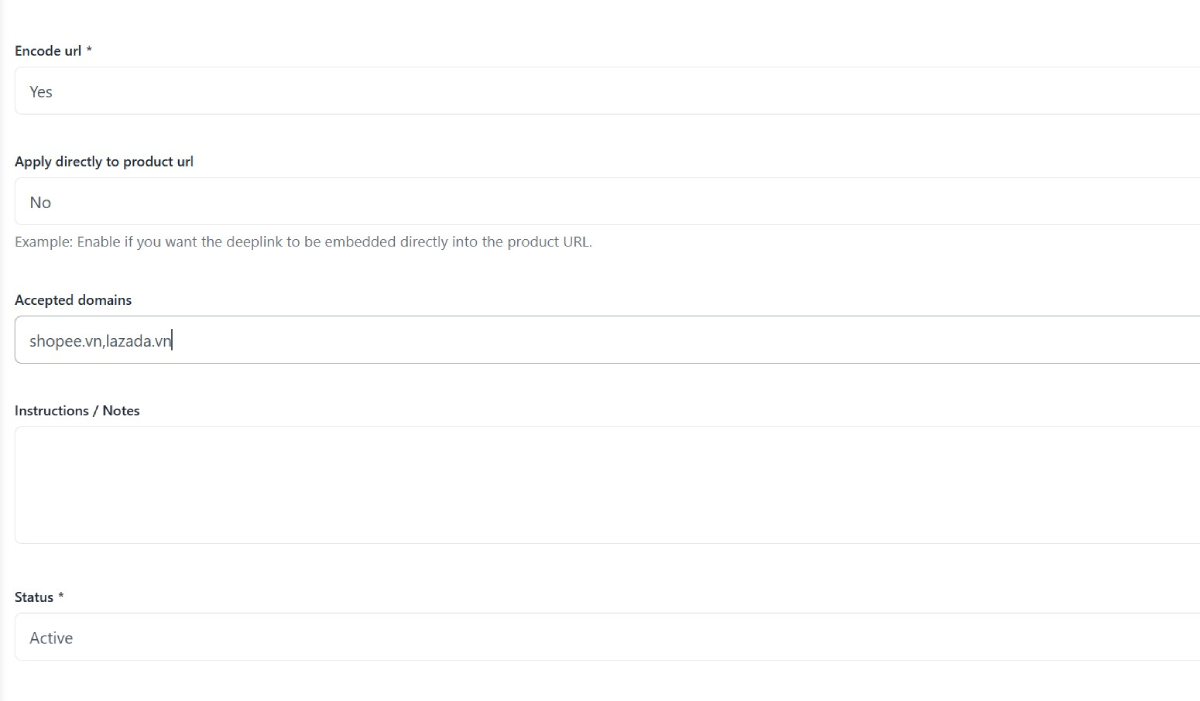
- Encode url: Select “Yes” if the Network requires the product link to be encoded first.
- Apply directly to product url: Select “No” if you have already used the “Base url”.
- Accepted domains: Enter the domains of the e-commerce platforms that will use this Deeplink Template. Enter domains without prefixes and separate them with a ‘,’ (no spaces). Example:
shopee.vn,lazada.vn.
If you choose to work through a Network, you need to register for a campaign with them first (e.g., Shopee mobile campaigns, Lazada web campaigns...).
The priority order for selecting an affiliate link on your website is as follows:
- The product already has a
link_affwhen the data was collected. - The deeplink template has an ‘active’ status, meets the ‘Accepted domains’ condition, and is the first result the system queries.
Save this template and your website will automatically generate an affiliate link if the conditions are met.
III. Shortened Link displayed only on the application
In this section, I will use the Temu platform as an example. Temu has a fairly flexible affiliate policy and operates in many countries. However, they do not allow creating affiliate links for individual products, but only provide a shortened link for publishers to drive buyers to the homepage.
KhangWeb's solution is as follows:
- Access the Temu affiliate program here: https://temu.to/k/uou880jtorm.
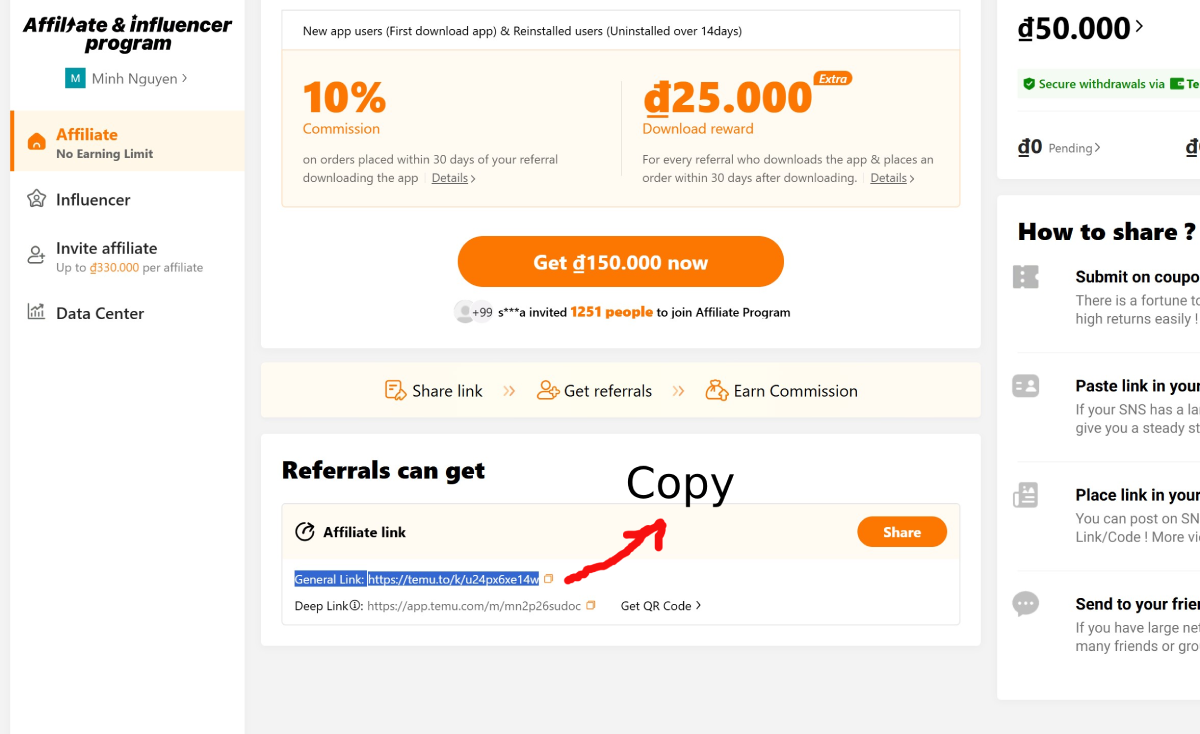
- If you receive a notification that this program is not available in your country, switch to another country on their website.
- Copy the “General Link,” then access this link in an incognito browser window.
- Copy the links of a few products (with full prefixes, suffixes, and params).
- Open an AI tool like ChatGPT, Gemini..., paste these links, and include the following prompt:
- The desired result will be as shown below.
- Copy the returned query string, including the “?” at the beginning of the string.
- Next, go to
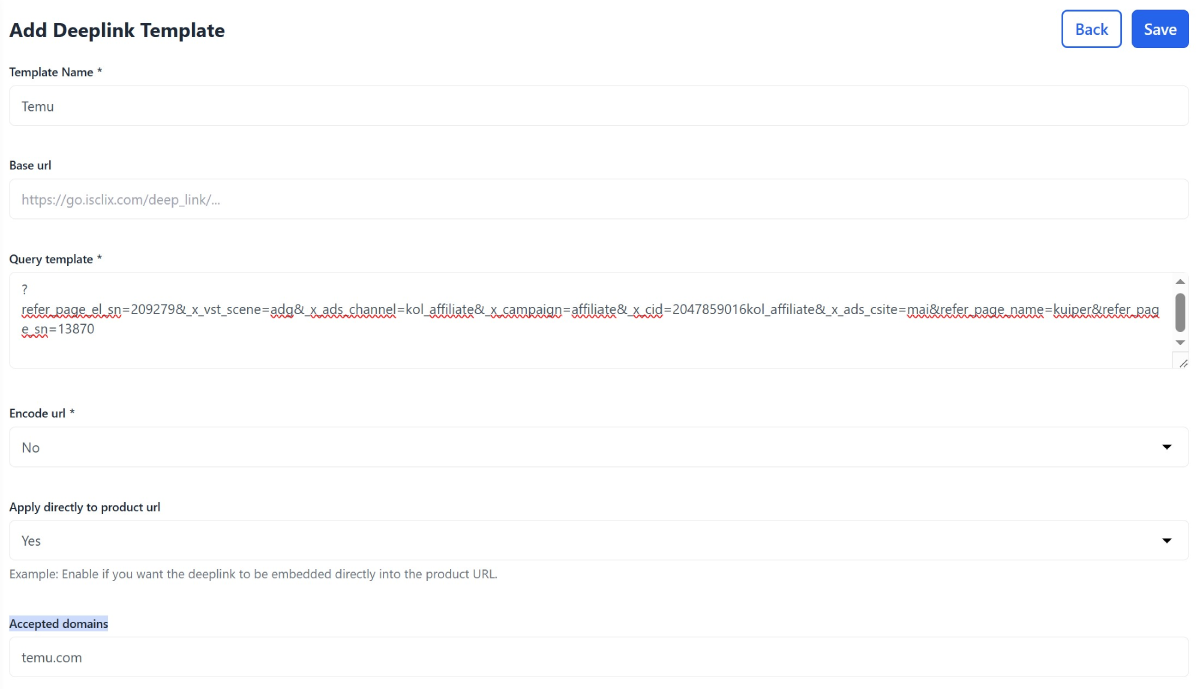
https://[your_website]/admin/deeplink/createto create a template for the deeplink. - Fill in the information according to the form below and save:
- Template Name: Temu
- Base url:
- Query template:
?refer_page_el_sn=209279&_x_vst_scene=adg&_x_ads_channel=kol... - Encode url: no
- Apply directly to product url: yes
- Accepted domains:
temu.com - Status: Active
And with that, we have completed Part 5 of the “Khang Affiliate Suite” user guide series.
Before you continue to the next parts, KhangWeb would love to receive your feedback on the quality of this guide.
If KhangWeb's presentation style makes it difficult for you to follow, please don't hesitate to leave a comment below.
Leave a Comment